Choose an access model
Start with the access model recorded in the deployment outputs.
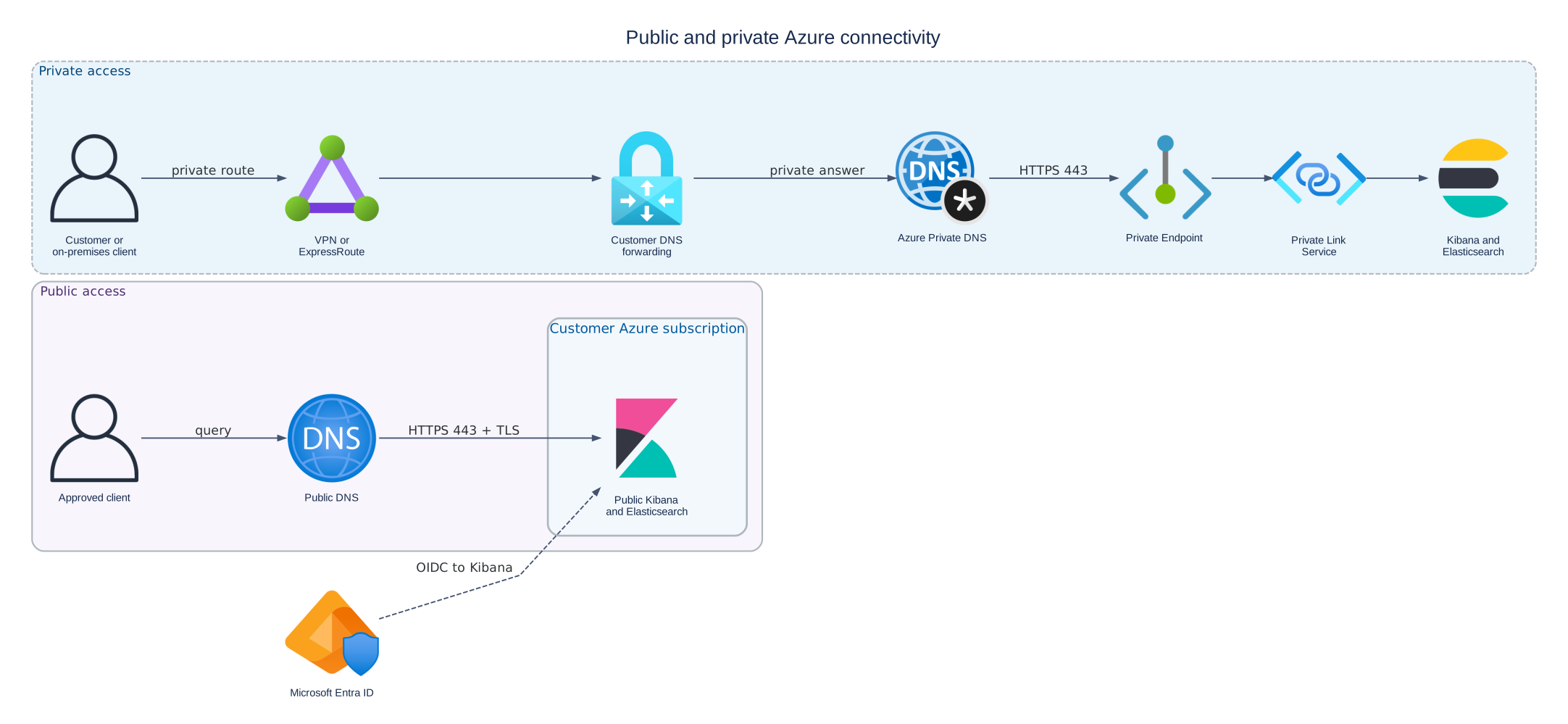
Public access uses public DNS and a TLS-protected endpoint. Private access requires a customer route, private DNS answer, Private Endpoint, and Private Link path.
Public access
Use configure public access when the deployment exposes internet-reachable URLs. You still need:
- authoritative public DNS;
- a certificate valid for each service hostname;
- approved network restrictions;
- Elasticsearch authentication and authorization.
Private access
Complete these procedures in order:
- Create a Private Endpoint to supply the network path.
- Configure private DNS so service hostnames resolve to the Private Endpoint.
- Configure private TLS so clients can verify the service hostname and certificate chain.
- Sign in securely.
Each layer solves a different problem:
| Layer | Successful result |
|---|---|
| Private Endpoint and routing | TCP traffic reaches the deployment privately |
| DNS | The service hostname resolves to the endpoint's private IP |
| TLS | The certificate matches the hostname and chains to a trusted CA |
| Authentication | Elasticsearch or Kibana accepts the user or client |
Do not troubleshoot authentication until connectivity, DNS, and TLS work. Do not use an IP address in place of the service hostname.
Follow the private request path
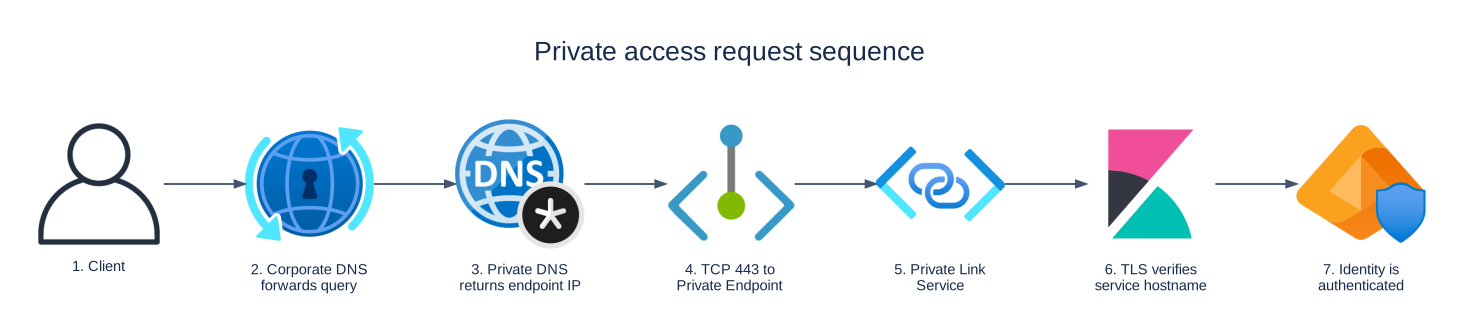
Troubleshoot private access in order: route and endpoint, DNS, TCP 443, Private Link, TLS, and authentication.